Login
All users — Designers, Suppliers (Guests), and Admins — log in through the same secure login flow with two-factor authentication (2FA).
Logging In
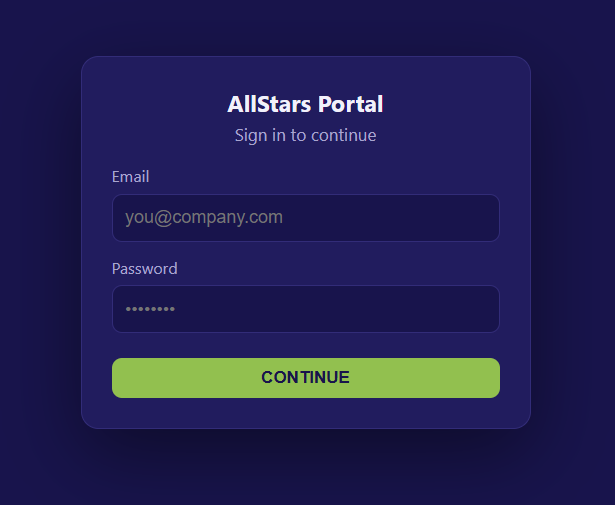
- Open your browser and go to the portal login page: https://allstars.mybrandz.com.au/login
- Enter your Email and Password.
- Click Sign In.
Two-Factor Authentication (2FA)
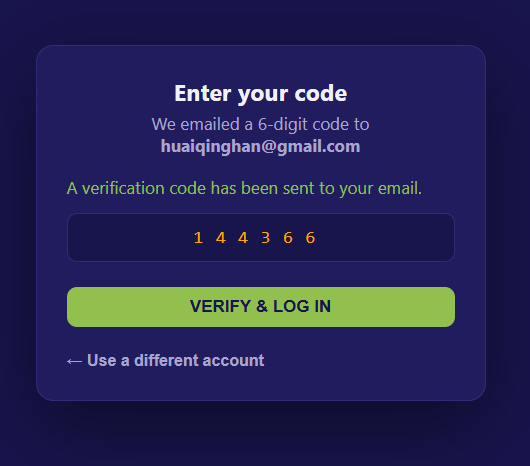
After entering valid credentials, you'll be prompted for a verification code:
- Open your authenticator app (or check your email/SMS, depending on setup).
- Enter the 6-digit code.
- Click Verify.
Note
The verification code is time-sensitive and typically expires after 30–60 seconds. If it expires, request or generate a new one.
Fields
| Field | Description |
|---|---|
| Your registered account email | |
| Password | Your account password |
| Verification Code | 6-digit 2FA code from your authenticator |
Troubleshooting
- Forgot password? Click Forgot Password on the login screen.
- Lost access to 2FA device? Use a backup code, or contact your Admin to reset 2FA.
Where To Go After Login
After successful login, you'll be directed to the view matching your account type:
- Designer View — handle incoming design requests
- Supplier (Guest) View — raise and submit design requests
- Admin View — manage users, settings, and the portal