Organisation Orders
The Organisation Orders page gives Org Admins a view of every request raised within their organisation — across all members. From here you can reassign orders between members and create new ones.
You reach this page by clicking View Org Orders on the My Organisation page.
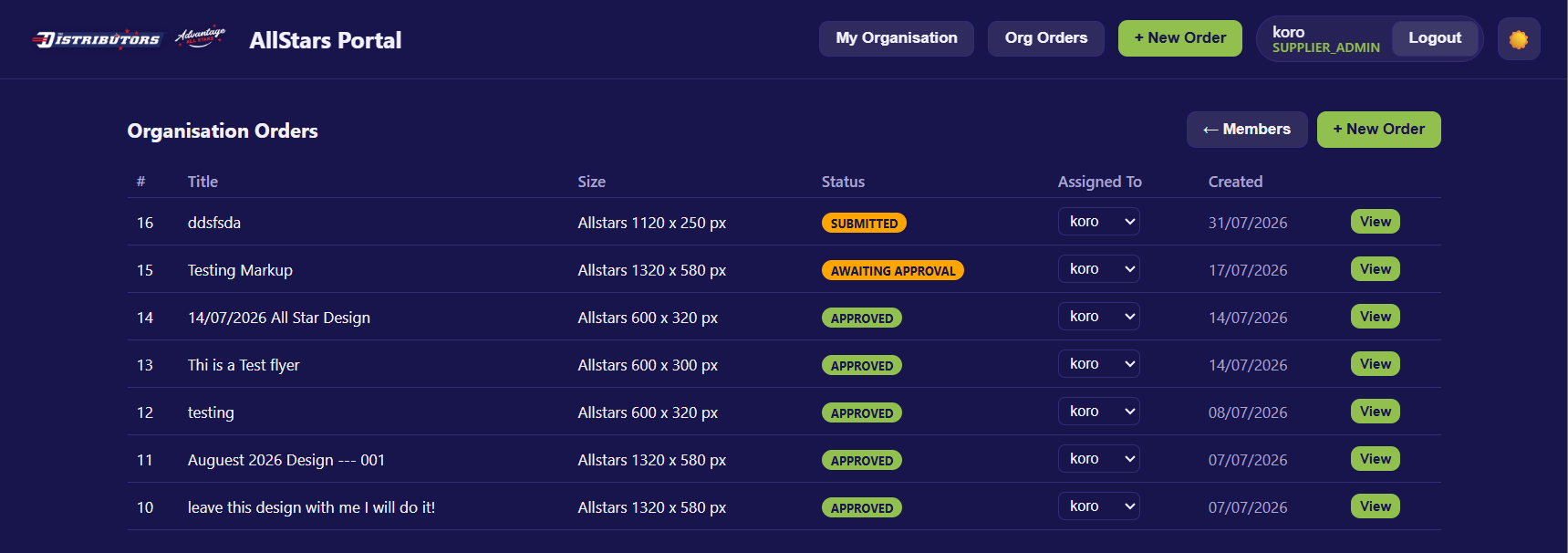
The Header
- Organisation Orders heading.
- ← Members — returns to My Organisation.
- + New Order — opens the New Order form.
The Orders Table
All orders across your organisation are shown in a table:
| Column | Description |
|---|---|
| # | The order/request ID. |
| Title | The job title. Shows (untitled) if none was set. |
| Size | The requested artwork size. |
| Status | The current status badge. |
| Assigned To | A dropdown showing which org member owns this order. |
| Created | The date the order was created. |
| View | Opens the full request in the supplier view. |
Note
If no orders exist yet, you'll see "No orders in your organisation yet."
Reassigning an Order
The Assigned To column shows a dropdown of all org members. To reassign an order to a different member:
- Click the Assigned To dropdown on the order's row.
- Select the new member.
- The change saves immediately — no Save button needed.
While saving, the dropdown is disabled to prevent double-changes. If the reassignment fails, an error message appears at the top of the page.
Tip
Reassigning an order changes which member it appears under in their My Requests view — useful when a team member is unavailable or the job needs to be handed over.
Viewing an Order
Click View on any row to open the full request in the standard supplier view, where the assigned member can review artwork, approve, or request changes.
See Viewing a Request for details.
Status Reference
| Status | Meaning |
|---|---|
| Submitted | Order submitted; waiting for the designer to pick it up. |
| In Design | The designer is working on the artwork. |
| Awaiting Approval | Artwork is ready — the assigned member needs to approve. |
| Revision Requested | Changes were requested; the designer is revising. |
| Approved | The artwork was approved; the job is complete. |